
Your people and your projects, together
TeamForge brings employees, onboarding and interns together with boards, sprints and tasks — so everyone knows who's on the team and what they're working on.
TeamForge
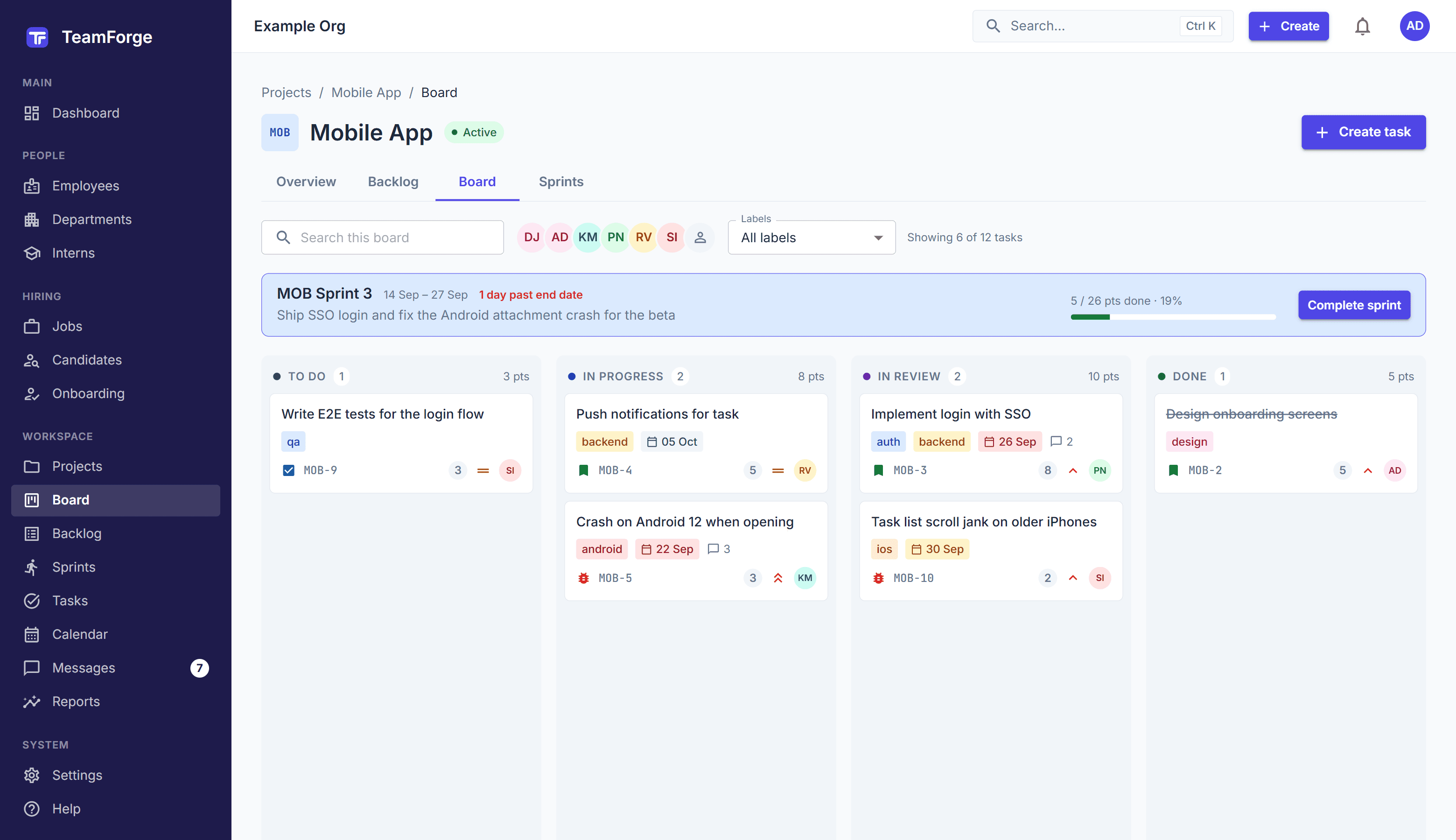
Mobile App
MOB Sprint 4 · 6 days left
To do
2
MOB-14
Offline mode for tasks
MOB-15
Dark theme
In progress
2
MOB-3
Login with SSO
3
MOB-9
Push notifications
In review
1
MOB-5
Fix Android attachment crash
5
Done
1
MOB-2
Onboarding screens
Helping these teams work better, together

Karka AI & Tech Academy


One place instead of five tools
HR spreadsheets, a task board, a chat app, a file drive and a calendar — TeamForge replaces the patchwork with one workspace your whole company can use.
Priya Nair
Engineering
Mobile App
3 tasks · lead
01
Everything connected
People, departments and projects live together, so every task knows who owns it and every profile shows what they work on.
Moved MOB-3 to In review
now
Commented on MOB-5
now
02
Live, for everyone
Board moves, comments and notifications appear for your teammates within a second — no refreshing, no stale status.
03
Secure by design
Roles and permissions decide who sees what. People only see the projects they're on, and files stay in private storage.
Free to start
Works for 5 or 500 people
One login for all your organizations
Everything your team needs, nothing it doesn't
From a new hire's first day to shipping the next sprint — built to work together from the start.
People
A living directory of your company
Every employee, department and reporting line in one place — searchable, filterable and always up to date.
Departments with leads and headcount
Invite people to log in with the right role
Profiles show the projects each person is on
Employees
41 people · 8 departmentsPriya Nair
Senior Frontend Engineer
Meera Pillai
Design Lead
Lakshmi Krishnan
HR Manager
Rohan Kapoor
Head of Product
Onboarding & interns
Great first days, every time
Checklists split between HR, IT, the manager and a buddy, so nothing slips before a new hire's first day. Track interns' reviews and conversions too.
Reusable onboarding templates
Each item owned by the right group
Intern reviews, mentors and conversions
Kabir Sethi
Product Designer · starts Monday
Send the offer letter
HRLaptop and accounts ready
ITTeam welcome lunch
ManagerFirst-week plan with buddy
BuddyProjects & sprints
Boards your whole team can follow
Plan in a backlog, run sprints and move work across the board. Members come from any department, and progress is always visible.
Kanban boards and Scrum sprints
Burndown and velocity for every sprint
Tasks page for everything across projects
To do
2
MOB-14
Offline mode for tasks
MOB-15
Dark theme
In progress
2
MOB-3
Login with SSO
3
MOB-9
Push notifications
In review
1
MOB-5
Fix Android attachment crash
5
Sprint burndown
On trackCollaboration
Review work where the work is
Discuss each task in its comments, @mention the right person, and attach screenshots or files — images are made smaller automatically before upload.
@mentions that notify the right people
Screenshots and files in comments
A full history of every change
Fix Android attachment crash
In reviewKarthik Menon · 2h ago
Fixed on Android 12. @Aarav Sharma can you review?
Aarav Sharma
Looks good, moving it to Done.
Add a comment… @ to mention
In-app messages
Talk it through, right next to the work
Every department and project gets its own channel automatically, and anyone can start a direct message — no separate chat app, no hunting for who's on which team.
Channels for each department and project
Direct messages with anyone in your organization
Unread counts, previews and search
# general
Lakshmi: Welcome Kabir to the team!
# mobile-app
Karthik: Build 4.2 is on TestFlight
# design
Meera: New icons are in Figma
Divya Joshi
Can we move the demo to 4?
# mobile-app
Everyone on the Mobile App project
Today
Karthik Menon 10:24
Build 4.2 is on TestFlight with the SSO fix.
Priya Nair 10:26
Nice! I'll test login on iOS this morning.
Aarav Sharma 10:31
Great work, team. Let's demo it on Friday.
Notifications
Know the moment something needs you
Assignments, mentions, comments on your tasks and sprint updates arrive live in your bell — only about what involves you, never noise about your own actions.
Live, without refreshing
Only what involves you
One click to the task
Karthik Menon mentioned you on MOB-5
just now
Divya Joshi assigned you MOB-9
5 min ago
Aarav Sharma started MOB Sprint 4
1h ago
Rohan Kapoor added you to Website Revamp
3h ago
And there's more
Recruitment
Jobs, candidates, interviews and scorecards in one pipeline.
Calendar
Due dates, sprints, project milestones and joiners on one calendar.
Reports
Work and people reports to see where time and effort go.
Search
Find people, projects and tasks from anywhere in the app.
Roles & permissions
Owner, Admin, HR and Member — each sees what they should.
Many organizations
One login for every company you work with; switch in a click.
Interns
Mentors, reviews and conversions for every internship.
Ready to try it?
Get startedOne workspace, the right view for each person
The same data, shaped for how HR, managers and team members actually work.
HR & people teams
Run the people side of the company without spreadsheets.
Directory, departments and reporting lines
Onboarding checklists and intern reviews
Hiring pipeline from job to offer
Team leads & managers
Plan the work and see how it's going at a glance.
Backlogs, sprints and burndown
Members from any department
Progress and reports per project
Everyone else
Know what to do next and who to ask.
Your tasks across every project
Comments, @mentions and files in one thread
Live notifications about what involves you
Up and running in an afternoon
No setup project, no consultants. Three steps and your team is working in TeamForge.
Create your organization
Sign up, name your company and set up departments. You're the owner.
Add your people
Add employees, then invite the ones who'll log in — each with the right role.
Start a project
Create a board, add members from any department and plan your first sprint.
Questions, answered
Can't find what you're looking for? Get started and explore — it's free.
No. You can keep everyone in the directory and invite only the people who'll use TeamForge. Each login gets a role — Owner, Admin, HR or Member — that decides what they can see and do.
No. Members see only the projects they're on; Owners and Admins see all of them. Tasks, comments and files follow the same rule.
Yes. When a teammate moves a card, comments or assigns you a task, your open board, task and notification bell update within about a second — no refreshing.
In private cloud storage. Files are only reachable through short-lived links for people who can see the task, and images are made smaller before they upload.
No. One login can belong to several organizations. Switch between them from the top bar; each keeps its own data, roles and notifications.
Bring your people and projects together
Set up your organization in minutes. Invite your team when you're ready.